Wifi Wizard
In the world of connected devices, reliable WiFi configuration is often taken for granted. Yet for makers working with ESP32 and ESP8266 microcontrollers, existing solutions such as WiFiManager can feel limiting. I found myself repeatedly constrained by the lack of visibility into connectivity states and the styling of the UI. To address this, I developed WiFi Wizard, a rebrandable Arduino library that combines flexibility, user feedback, and modern design, empowering both developers and end-users to manage network connectivity effortlessly.
- Year
- 2024
Stack
- C
- Figma
- JavaScript
- CSS
Clear connection statuses
Unlike many existing libraries, WiFi Wizard doesn't leave users in the dark. From the moment a device powers up, the library tracks its WiFi state and communicates it clearly, whether offline, connecting, connected, or in access point mode. This proved especially useful in my Bloc Lamp project, where real-time network feedback was crucial to the user experience. By exposing connectivity states via a simple API, WiFi Wizard allows developers to react to changes programmatically or inform the user in real time. For example, below is a very basic connectivity state interface, mapping the status returned from Wifi Wizard to a RAG status UI component.

Designed with flexibility in mind
Developers can serve any HTML file they choose, integrate APIs in their Arduino sketch, and even rebrand the captive portal page to match their product. Unlike WiFiManager, which forces its interface and limited behaviour, WiFi Wizard separates the frontend from the connectivity logic. This modular approach allows for creative interfaces while keeping the Arduino code clean and maintainable.
An intuitive experience for IoT setups
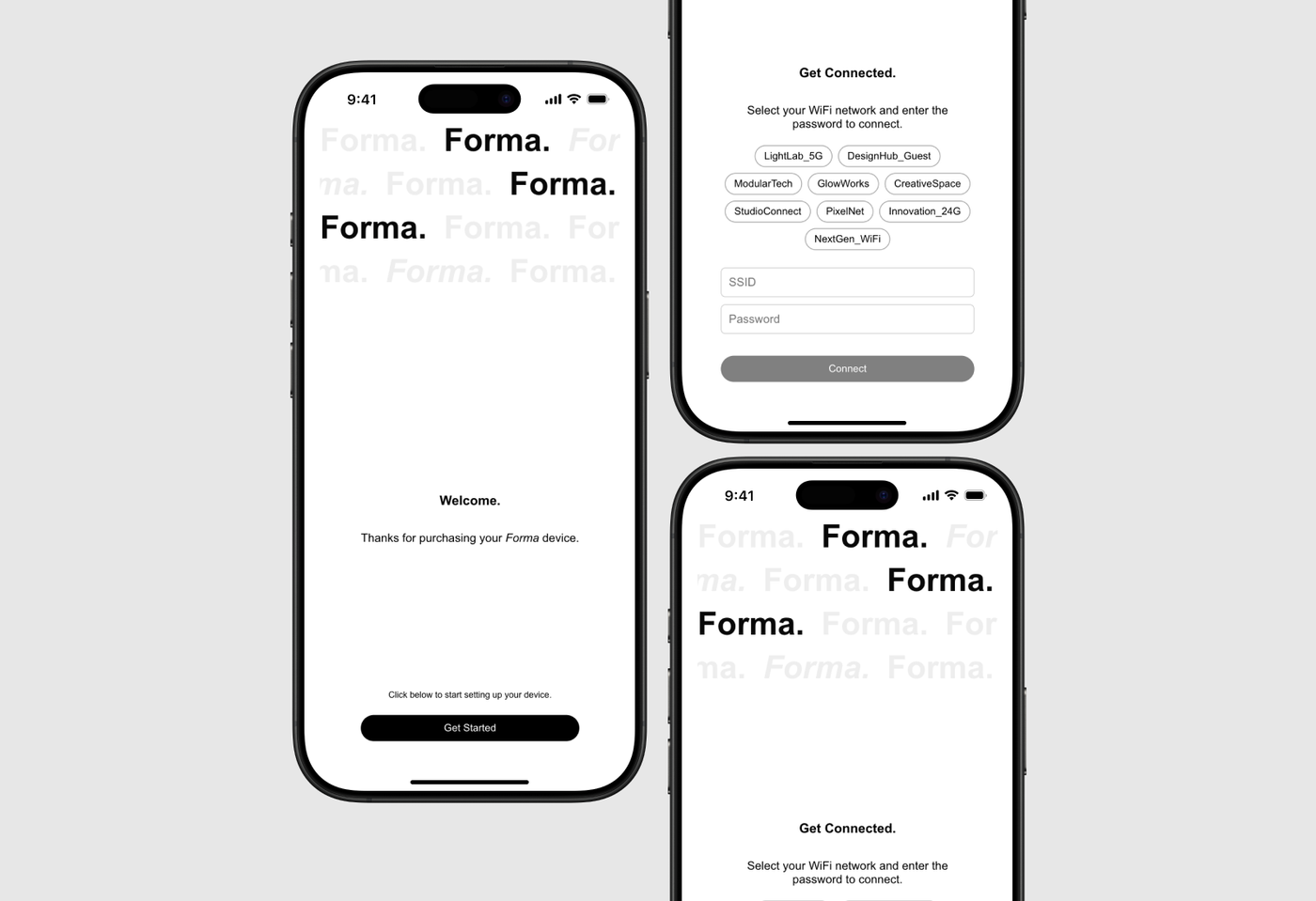
The ReactJS frontend paired with WiFi Wizard allows users to scan for available networks and join with minimal friction. This user interface design was inspired by standard web practices, providing familiar visual cues while remaining lightweight and fast. Users can see their networks listed, select one, and immediately understand the connectivity progress thanks to real-time feedback from the library.